Commands
AstroWorld Commands
Explore all available features.
/xadrez
Play matches, puzzle duels, and view history.
/move
Make a move in the active match in this channel.
Use this in a channel with an active match. Send your move in standard algebraic notation (e.g. e4, Nf3, O-O).
/2v2
Start a 2v2 team chess match.
2v2 consultation chess match. Each team gets a private channel to discuss strategies before sending a move in the public channel. Mention all 3 other players when using the command.
/puzzle
Train tactics with Lichess problems.
/daily
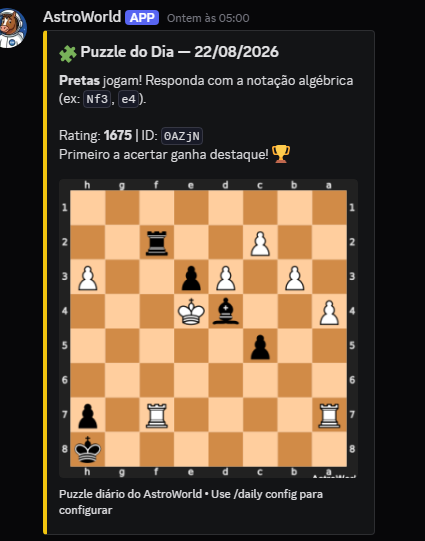
Community daily puzzle.
Puzzles are posted at 08:00 UTC. Open /daily config to choose a channel and enable or disable posts using the panel controls. For first setup, choose a channel and click Enable. Changing the channel preserves the posting state. View solvers opens the status with today’s puzzle and the first 10 global solvers. /daily status is available to everyone. Controls expire after 3 minutes; open the command again. The /daily config canal option remains available to choose a channel and enable posts directly.
Exemplos reais
/ranking
View server leaders.
/economy
Manage your coins and buy items.
/rewards
Claim rewards or vote for the bot.
/paternidade
Adopt or be adopted on the server.
/mural
View the wall of shame (worst stats).
/perfil
Display your player card.
/scout
Humorous profile analysis of a chess player.
Mention a Discord user and the bot will analyze their chess profile, generating a humorous "report card" with their strengths and weaknesses based on real stats.
/score
View the scoreboard for 1v1 and puzzle duels.
Shows the complete head-to-head history between you and another player: wins, losses and draws in both 1v1 matches and puzzle duels.
/verify
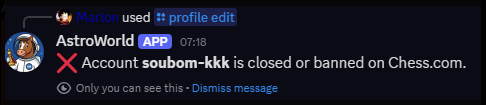
Link your Lichess/Chess.com accounts.
The bot generates a unique code for you. Paste that code in your Lichess Bio or Chess.com Location field, then click "Verify". Once verified, your rating syncs automatically and you appear in rankings.
/cargos
Lists the rating roles automatically assigned in the server.
The bot automatically assigns Discord roles based on your highest verified rating (Lichess or Chess.com). Roles are created by the bot itself and updated every time you use /profile view. 🏆 Rating 2600+ 🔴 Rating 2400+ 🟠 Rating 2200+ 🔵 Rating 2000+ 🔵 Rating 1800+ 🟢 Rating 1600+ 🟢 Rating 1400+ 🟡 Rating 1200+ 🟡 Rating 1000+ ⚪ Rating Sub 1000
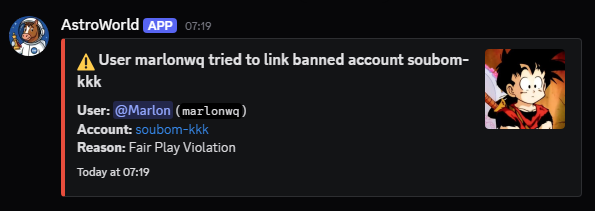
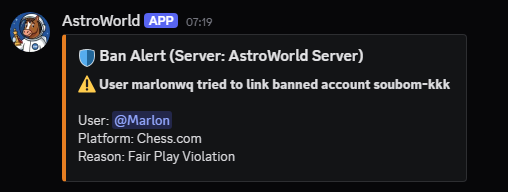
/config ban_monitor
Configure ban log channel, notification role, or DM alerts.
Monitors all users joining the server and cross-references with Lichess and Chess.com ban lists. When detected, fires alerts in the configured channel and/or via DM to admins.
Exemplos reais
/config
Bot configurations.
/awhelp
Interactive bot help dashboard.
Displays an interactive panel with buttons to navigate all help sections: Matches, Puzzles, Profile, Economy, Paternity and more. The entry point for new users.
/info
Bot status and information.
Displays real-time bot stats: active servers, registered users, latency, total puzzles in the database and current version.
/donate
Support AstroWorld and receive permanent benefits.
Any donation on Ko-fi helps keep me online and permanently grants the Supporter role in the official server and the Supporter achievement on your bot profile.